Google Maps is one of the most complete directories of local businesses. Many teams scrape Google Maps business data to build location-based prospect lists for outbound sales, recruiting, or partner sourcing. Google Maps Business Data Extraction: Complete Guide explains which fields to capture, how to structure repeatable searches, and how to deliver clean exports that sales teams can use.
Raw listings are not lead-ready. Lead teams need consistent columns, clear targeting rules, and a repeatable quality check before outreach. For a scalable lead-delivery workflow, review how PublicScraper delivers proven business leads through compliant scraping.
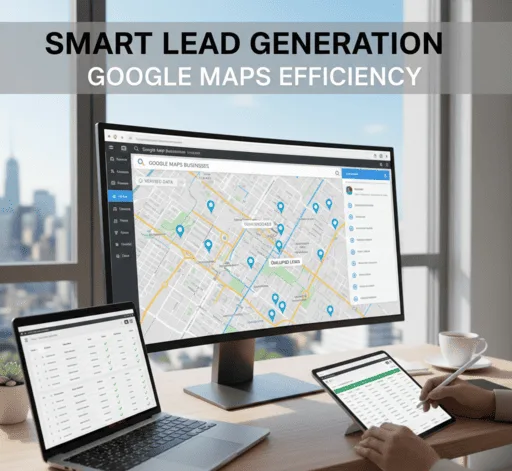
Google Maps Business Data Extraction: Complete Guide for lead targeting
The goal of scraping Google Maps business data is not to capture everything on a profile. The goal is to capture the minimum set of fields required to qualify and route leads.
Common B2B use cases include:
- Building local business lists for sales territories
- Finding vendors by business category filtering
- Creating location-based leads for multi-city campaigns
- Expanding prospecting coverage for agencies and recruiters
When teams follow a defined extraction plan, data becomes easier to deduplicate, enrich, and assign to the right pipeline.
What business data can be collected from Google Business Profiles
A Google Business Profile typically includes structured fields and unstructured text. For lead generation, prioritize fields that support routing, qualification, and contact discovery.
Core fields for local business extraction:
- Business name
- Primary category and secondary categories (when available)
- Address and service area
- Phone number (if listed)
- Website URL (if listed)
- Business hours
- Review count and rating
- Latitude/longitude (useful for territory mapping)
Optional fields that can support qualification:
- Description text (helps identify services)
- Attributes (for example, “women-owned” if displayed)
- Popular times (when present)
- Photos count (as a rough activity signal)
For many teams, the website URL is the most valuable output because the website enables contact capture through enrichment and manual verification.
How to structure a Google Maps scraping workflow for B2B leads
A lead workflow should define targeting inputs, extraction rules, and output formatting. A typical Google Business Profile scraping workflow includes:
- Define targeting logic: choose categories, locations, and exclusions.
- Collect listings: capture core fields consistently.
- Normalize data: standardize address formats, phone formats, and category names.
- Deduplicate records: remove duplicates across overlapping locations and queries.
- Validate and enrich: confirm websites, fix missing fields, and add emails or LinkedIn when appropriate.
- Deliver to CRM: map columns to your CRM fields and add tags for routing.
If your team wants a managed workflow with consistent outputs, the process described in professional scraping for proven business leads explains how service-based lead delivery reduces manual cleanup.
Location-based lead generation using ZIP code targeting
ZIP code targeting works best when you translate territories into repeatable search inputs. Because Google Maps does not always let you query by ZIP directly, teams often use:
- City plus ZIP in the query (when supported)
- Neighborhood names for dense metro areas
- Coordinate grids to cover large regions
- Radius searches around ZIP centroids
Practical tips for ZIP-based campaigns:
- Use consistent radius sizes to avoid uneven coverage.
- Overlap slightly to reduce missed listings at borders.
- Tag each record with the source ZIP or grid cell for routing.
Business category filtering that improves lead quality
Business category filtering reduces noise. Categories also help sales teams prioritize by service type.
Category filtering best practices:
- Start with 3 to 8 primary categories that match your ICP.
- Add exclusions for categories that commonly overlap but are not relevant.
- Split broad categories into sub-categories when lead volume is high.
- Store both the query category and the profile category to catch mismatches.
When categories are inconsistent across regions, add keyword rules using website titles or profile descriptions.
PAA: Is scraping Google Maps business data allowed?
Scraping Google Maps business data is restricted by Google’s terms and technical controls, so teams should treat extraction as a compliance and risk-management problem. A safer approach is to limit collection to business-identifying fields, avoid personal data, and use a professional provider that designs workflows around lawful use and platform rules.
PAA: What fields matter most for B2B lead generation from Google Maps?
The most useful fields for B2B outreach are business name, category, address, phone number, and website URL. Website URL is often the key field because it enables verification and enrichment for contacts. Review count and rating help prioritize active businesses, but those signals should not replace ICP rules.
PAA: How can teams avoid duplicates in local business extraction?
Teams avoid duplicates by normalizing address and phone formats, then matching records using a combination of name, address, and website URL. Deduplication should run after every batch because overlapping ZIP code targeting and nearby radius searches will surface the same listing multiple times. A stable unique ID field helps with updates.
PAA: What is the best way to scale location-based leads across many cities?
The best way to scale location-based leads is to standardize inputs and outputs. Use a location template with consistent radius sizes, category lists, and exclusion rules. Store query metadata on every record so the team can audit coverage. For higher volume campaigns, use a managed scraping workflow instead of manual exports.
PAA: How do teams validate Google Business Profile scraping results?
Teams validate results by spot-checking listings for accuracy, confirming website URLs load correctly, and sampling categories against the target ICP. A validation checklist should also catch franchise duplicates, closed locations, and mismatched addresses. Validation improves deliverability in CRM because fewer bad records enter outreach sequences.
Tools and methods used for Google Maps Business Data Extraction
Teams use several approaches depending on volume, accuracy requirements, and internal resources.
Common approaches:
- Manual exports and copy-paste for small lists
- Browser-based scraping tools with strict rate limits
- API-like services and structured data providers
- Managed scraping and lead delivery services
For consistent formatting and reduced operational risk, a service-based approach can be more reliable than assembling multiple tools. The lead workflow overview in PublicScraper’s business lead scraping service outlines how structured delivery supports CRM readiness.
Data formatting for CRM-ready lead delivery
A data file is only useful when the CRM can accept it. Keep the output stable and predictable.
Recommended columns:
- Business Name
- Category
- Address Line 1
- City
- State
- ZIP
- Country
- Phone
- Website
- Rating
- Review Count
- Latitude
- Longitude
- Source Query (category + location)
- Source Area Tag (ZIP, city, or grid cell)
Formatting rules that reduce cleanup:
- Use one row per unique location.
- Separate street address from city/state/ZIP.
- Use E.164 phone format when possible.
- Keep category names as provided, but also add a normalized category column.
Risk and compliance considerations for Google Maps extraction
Google Maps extraction includes platform, legal, and operational risks. Teams reduce risk by limiting scope, documenting use, and avoiding personal data collection.
Operational safeguards:
- Collect only business data required for lead qualification.
- Maintain a suppression list for opt-outs and do-not-contact requests.
- Store source metadata for audits.
- Refresh data on a defined schedule to avoid contacting closed businesses.
If your team needs leads at scale and wants a controlled process, service-based scraping reduces ad hoc tooling and inconsistent practices.
FAQ: Google Maps Business Data Extraction: Complete Guide
Q: What is the difference between Google Maps listings and Google Business Profiles? A: Google Maps listings are the search results surface, while Google Business Profiles are the underlying business records that contain fields like category, address, phone, and website.
Q: Can ZIP code targeting guarantee coverage of every business in an area? A: ZIP code targeting improves geographic control, but coverage can vary due to how Google ranks and displays listings. Using grid or radius coverage improves completeness.
Q: Do review ratings predict whether a business is a good B2B prospect? A: Review ratings indicate customer feedback and activity, but prospect fit depends on industry, services, and firmographic criteria. Ratings should be a secondary prioritization signal.
Q: How often should Google Maps business data be refreshed? A: Refresh frequency depends on the market. Many teams refresh quarterly for stable industries and monthly for fast-changing categories like hospitality and home services.
Q: What is the safest way to get Google Maps-based leads into a CRM? A: The safest approach is a controlled extraction workflow with stable columns, deduplication, validation, and documented sourcing. Managed lead delivery services often provide cleaner CRM-ready files.
Conclusion
Google Maps Business Data Extraction: Complete Guide helps teams build structured, location-based leads using category filters, territory tags, and CRM-ready formatting. For scalable growth, lead generation needs consistent data rules, validation, and repeatable coverage across regions. To evaluate a safer and more scalable approach, review how a compliant scraping service delivers proven business leads.
Leave a Reply