Google Maps Scraper: The Complete Guide to Extracting Business Data at Scale
Google Maps holds the single richest public database of local businesses on the internet. Every plumber, dentist, restaurant, law firm, and agency in a given city is sitting there with a name, phone number, address, website, category, rating, and review count attached to it. For anyone doing local lead generation, market research, or sales prospecting, that’s not just useful data. It’s the entire raw material of the job.
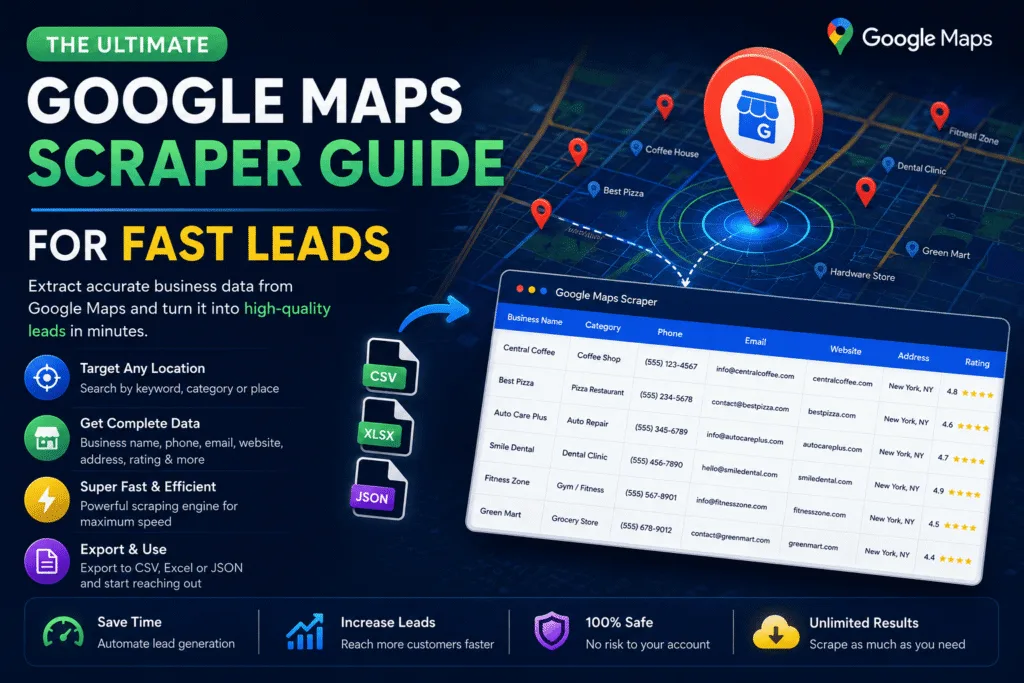
The problem is volume. Copying business details from Google Maps by hand works fine for ten leads. It falls apart completely at a thousand. That’s where a Google Maps scraper comes in, and it’s why this guide exists: to explain exactly what these tools do, how they work under the hood, where people get tripped up, and how to use one properly without wasting time or getting blocked.
What a Google Maps Scraper Actually Does
A Google Maps scraper automates the process a human would otherwise do manually: search a keyword and location on Google Maps, open every result, copy the business name, address, phone, website, category, rating, and review count, and save it all into a structured file like a spreadsheet or CSV.
Instead of doing that one listing at a time, the scraper runs the search, loads the results (including the ones hidden behind “load more” or infinite scroll), and pulls the data from each listing’s panel automatically. A search that would take a person four or five hours to do by hand can be finished in a few minutes.
The output is usually a clean table: business name, phone number, website, full address, category, star rating, number of reviews, and sometimes emails pulled from the business website itself. That table is what feeds directly into cold outreach, CRM imports, or market analysis.
Why Businesses Actually Use This
The demand for Google Maps data isn’t abstract. It maps to a handful of very concrete use cases:
- Sales prospecting. Agencies and freelancers building a list of local businesses to pitch (web design, marketing, insurance, financial services) start with a niche and a city, then scrape every matching listing.
- Market research. Understanding how many competitors exist in a niche and location, and what their ratings and review counts look like, before entering a market.
- Lead generation for local services. Roofers, HVAC companies, and contractors reselling leads to other local businesses use scraped data as their base list.
- Data enrichment. Combining scraped Maps data with other sources (like a Yellow Pages scraper or a Bing Maps scraper) to cross-verify contact details and increase accuracy.
If you want a deeper look at how scraped Maps data feeds directly into building a customer list, Google Maps Scraper Data Enrichment for Better Sales covers the workflow in more detail, and Google Maps Scraper Tips Agencies Need to Scale Growth is worth reading if you’re running this at agency scale.
How Google Maps Scraping Works, Technically
There are three broad approaches, and knowing the difference matters before you pick a tool.
1. Browser Automation
Tools built on Selenium, Puppeteer, or Playwright open an actual browser, navigate to Google Maps, type in the search query, scroll the results panel to force more listings to load, and then click into each one to extract details from the rendered page. This mimics human behavior closely, which makes it more resistant to basic bot detection, but it’s slower and heavier on resources since it’s rendering a full browser session for every search.
2. Direct API/Endpoint Requests
Google Maps loads its data through internal API calls in the background. Faster scrapers reverse-engineer those calls and hit them directly with HTTP requests, skipping the browser entirely. This is dramatically faster but more fragile, since Google changes these internal endpoints without warning, and it requires more sophisticated handling of headers, tokens, and request signing to avoid being flagged immediately.
3. The Official Google Places API
Google offers a legitimate Places API that returns similar data through an authorized channel, with usage billed per request. It’s the most stable option long-term but expensive at scale, and it caps how much data you can pull compared to unrestricted scraping. Most people doing high-volume lead generation don’t use it for that reason. If you want the deeper comparison between building your own request-based scraper and using an API, Web Scraping vs API Data Extraction breaks down the tradeoffs.
Public Scraper Ultimate combines the resilience of browser-based automation with optimizations that keep speed high, so you’re not stuck choosing between “fast but fragile” and “slow but stable.”
The Real Obstacles: Blocking, CAPTCHAs, and Rate Limits
Google doesn’t want its Maps data scraped at scale, and it has layered defenses against it. Anyone scraping seriously will run into some combination of these:
- IP-based rate limiting. Sending too many requests from one IP address in a short window triggers a slowdown or a temporary block.
- CAPTCHAs. Google will interrupt a session with a CAPTCHA challenge when it suspects automated behavior. A scraper without CAPTCHA handling just stalls out at this point.
- Behavioral detection. Scrolling too uniformly, clicking too fast, or repeating identical query patterns can flag a session even without hitting a rate limit.
The practical fix for all three is proxy rotation combined with realistic pacing between requests, and a CAPTCHA-solving integration for when a challenge does appear. If you’re setting this up yourself, Set Up 2Captcha in Public Scraper Ultimate Fast walks through the CAPTCHA-handling side specifically, and it’s the single most common thing people misconfigure when they first start scraping at volume.
Is Scraping Google Maps Legal?
This comes up constantly, and the honest answer is: scraping publicly available business data (name, address, phone number, category) sits in a legally defensible space in most jurisdictions, particularly following U.S. court precedent in cases like hiQ Labs v. LinkedIn, which found that scraping publicly accessible data doesn’t violate the Computer Fraud and Abuse Act. That said, Google’s own Terms of Service prohibit automated data extraction, which creates a difference between “likely legal” and “not against any rules.” For a full breakdown of where the legal lines actually sit, read Is Scraping Google Maps Legal? It covers GDPR considerations for EU-based leads too, which matters if you’re scraping business contacts that include personal names. For the broader compliance picture across all scraping targets, not just Maps, see GDPR Compliance in Data Scraping.
Choosing the Right Tool: What Actually Matters
Not all Google Maps scrapers are built the same, and the differences show up the moment you try to run a real campaign instead of a test search. Here’s what to actually check before committing to one:
Speed at scale. A tool that works fine on 50 results might choke, get blocked, or time out on 5,000. Ask what happens past the first few hundred listings.
Built-in proxy and CAPTCHA handling. If these aren’t included, you’ll be manually troubleshooting blocks within the first hour of real use.
Export flexibility. Getting a CSV is table stakes. Being able to export directly into the format your CRM expects, or straight to Excel, saves an entire cleanup step. Scraping Google Maps to Excel Made Simple shows what that workflow should look like in practice.
Data enrichment options. The best tools don’t just give you what’s on the Maps listing. They follow the link to the business website and pull emails or additional contact details, closing the gap between “list of businesses” and “list of leads you can actually email.”
Niche targeting. Being able to filter or combine scraped results with AI-driven niche targeting changes a generic list into a qualified one. AI Niche Targeting: Find Your Customers and Google Maps Scraper and AI Targeting for Better Leads go into how that layer works.
If you’re weighing whether to scrape at all versus building a list manually, Google Maps Scraper vs Manual Prospecting: Save Time and Money lays out the actual time and cost math side by side.
A Practical Workflow, Start to Finish
- Define the niche and location. “Dentists in Austin, TX” is a search. “Dentists” alone is not.
- Run the scrape with proxy rotation and CAPTCHA handling active, not disabled for a “quick test.”
- Export to CSV or Excel and immediately deduplicate. Google Maps often shows near-duplicate listings for multi-location businesses. For a proper process here, see Lead Deduplication and Data Cleaning.
- Verify emails if you enriched contact data, since scraped emails from websites do go stale. Avoid Bounces: Email Verification for B2B Leads covers why this step isn’t optional if you’re planning to email the list.
- Import into your CRM or outreach tool. CRM Integration: Import Business Leads covers the handoff from spreadsheet to working pipeline.
- Score and prioritize before reaching out. Not every scraped listing deserves the same amount of sales effort. Lead Scoring Model: Qualify Prospects is the natural next step once the list is clean.
Where to Go From Here
Google Maps scraping is the starting point of a pipeline, not the end of one. The raw list only becomes valuable once it’s clean, verified, and prioritized, and once it feeds into an actual outreach process instead of sitting in a spreadsheet.
If you’re ready to run this at production scale rather than piecing together your own scripts, Public Scraper Ultimate is built specifically for this: Google Maps extraction with proxy rotation, CAPTCHA handling, and export formats ready for CRM import, all in one tool rather than five. Check the pricing page for current plans, or read the full product page for the complete feature breakdown.
For related reading on other local data sources you can combine with Google Maps for a fuller picture of any market, see the Bing Maps scraper guide and the Yahoo Local scraper guide.
Leave a Reply