What is the reason to scrap Better Business Bureau business profiles?

Better Business Bureau (BBB) listing is well organized, checked and filled with company information. By category and location, you obtain clean lead lists of outreach, research and market mapping. Using Public Scraper Ultimate, you can scrape such public data at scale, and then to CSV or Excel to use in sales and marketing processes.
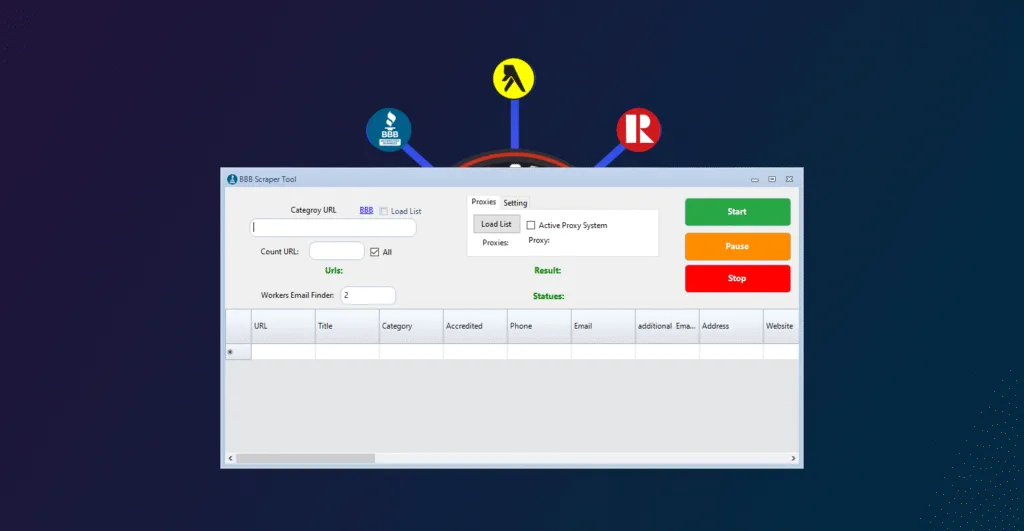
The information that you can derive of BBB profiles.
- URL
- Title (Business Name)
- Category
- Accredited (Yes/No)
- Phone
- Additional Email Addresses
- Address
- Website
- Direction
- Service Area
- Hours
- BBB Rating
- Reasons for Rating
- About This Business
- Products and Services
- Local BBB
- BBB File Opened
- Business Started
- Started Locally
- Business Incorporated
- Type of Entity
- Business Management
- Other Contact Details.
- Other Resources
- Social Media Dynamics (Facebook, Twitter, Instagram, YouTube, Pinterest, LinkedIn).
- Reviews ( Review 1, Review 2, Review 3)
- Email1 (that can be extended to multiple emails such as Email2, Email3 etc.)
Profiles differ in terms of the availability of information. It is always better to enrich emails with the extracted site and contact page which appears not on BBB.
Stages: Scrape Better Business Bureau business profiles.
Take the following steps in a straight forward manner. Instead of using BBB, it uses Better Business Bureau.
2) Click on Better Business Bureau scraper.
Access your Public Scraper account. Better Business Bureau Scraper. is chosen in the list of the tools.
2) Visit Better Business Bureau site.
Open bbb.org in your browser.
3) Category and location search.
Select the type of business that you would like to target, including plumbers, electricians, marketing agencies, restaurants, among others.
Select your country: United States or Canada.
Enter the desired prospect city.
4) Run the search
Click on the search button of Better Business Bureau. A list of the businesses that meet your filters will appear as a results page.
5) Copy the results URL
The URL is a copy of what is on the address bar of your browser. Your category, country and city filters are coded in that link.
6) Insert the link into Public Scraper.
Go Back to Public Scraper – paste Better business Bureau Scraper results link and start.
The scraper would bring the business profiles and create your dataset.
7) Export your data
At the end of the run, it can be exported to CSV or Excel. Send to your CRM, email service or spreadsheet to analyze.
Pro tips for better results
- Narrow your category: Clean up your targeting by using specific categories (e.g. categories such as plumbing contractors vs plumbers).
- City or area: Search smaller, more targeted searches decrease redundancy and enhance the accuracy.
- Enrich emails with the use of the site field: Visit the extracted site and contact page to retrieve the public emails that are not mentioned by BBB.
- Be a good citizen: Scrape the pages of the site and honor the site policies. Be morally responsive and seek affirmative legislatures with respect to outreach.
- Track accreditation: The accreditation will be filtered to filter out businesses that embrace compliance and reputation.
- De-duplication: key details used on the merging of multiple exports with a company URL or phone.
The reason to use Public Scraper Ultimate.
Public Scraper Ultimate is a single workstation that has dedicated scrapers and automations to prospecting and research. It accelerates all your work processes: discovery, enrichment, export.
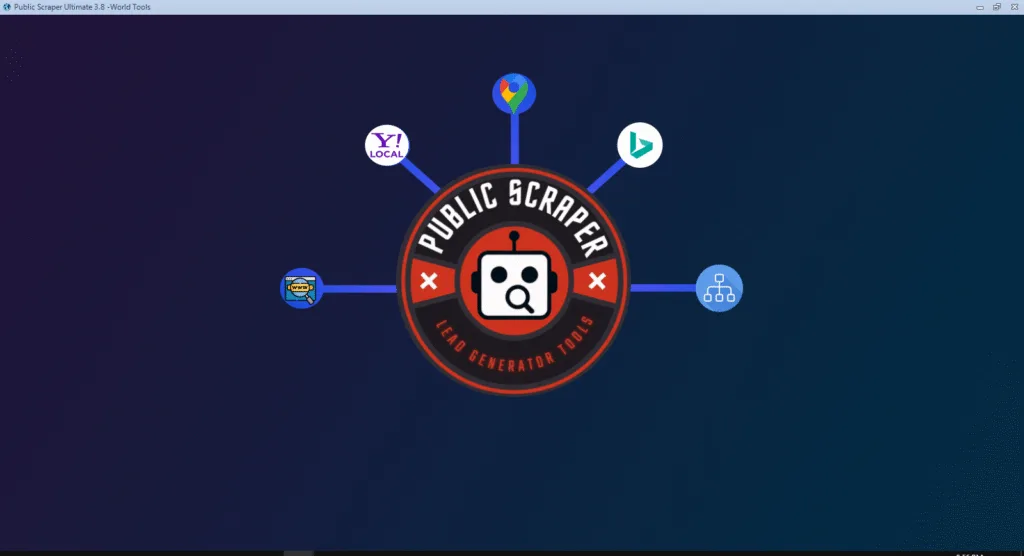
Included tools:
- URL Scraper & Contact Hunter
- Sitemap XML Scraper
- Yellow Pages Canada Scraper
- Yellow Pages USA Scraper
- Bing Maps Scraper
- Yahoo Local Scraper
- Google Maps Scraper
- AI Niche Targeting
- Manta Scraper
- SuperPages Scraper
- Realtor.ca Scraper
- Telegram Automation Tool
- SMS Bulk Sender Tool
- Better Business Bureau Scraper
The Better Business Bureau Scraper will create a clean base list, which can be overlaid onto more tools to scale and verify and contact.
Sample algorithm to create a city-level lead list.
- Search the Run a Better business Bureau of Marketing agencies in Columbus, OH.
- Export the results link in Public Scraper and save as CSV.
- Add the profile URLs to URL Scraper and Contact Hunter in order to extract site emails and forms.
- Take advantage of AI Niche Targeting to divide agencies based on services such as SEO, PPC, or web design.
- A legal, opt-in campaign through your email service. In case of SMS, you have to get the consent properly and use the SMS Bulk Sender legally.
- Replaying tracks and updating CRM.
Common use cases
- Local service lead generation of U.S or Canada.
- Market mapping and competitive research.
- Filter accreditation of suppliers.
- Sales team expansion planning.
FAQs
Can you scrap Better Business Bureau?
You scrape on pages visible to all at your own pleasure. Read the terms and other relevant laws of the site. Deliver data in an ethical manner.
Is it possible to target the United States as well as Canada?
Yes. Conduct country-city-specific search to cleanly segment search.
Why are some emails missing?
Emails may not be available on Better Business Bureau profiles. Go to the website field and visit the company site and use URL Scraper and Contact Hunter to get public emails.
What format are the exports?
CSV and Excel. Both load spreadsheets and CRMs.
What do I do to make sure that I have not duplicates across cities?
Combine on distinct data such as web site or phone. The majority of CRMs have duplicate rules.
Leave a Reply