A web scraper is Beautiful soup web scraping, which involves the bs4 library of Python to load data on HTML pages. It enables new users to work with page structure, CSS selectors, and find() or findall() to gather structured data with care and economy.
Table of Contents
- What is Beautiful Soup?
- Key Definitions
- How Do I Set Up Beautiful Soup?
- Step-by-Step Guide to Parsing HTML.
- CSS Selectors and find/findall How Does It Work?
- Guidelines about responsible Scraping.
- Common Mistakes + Fixes
- Comparison Table
- FAQ
- Summary
- Glossary
- Beginner Checklist
What is Beautiful Soup?
Beautiful soup is a Python library that is employed in data extraction and HTML parsing of web pages. It converts raw HTML into a searchable tree which is accessible to beginners when it comes to web scraping.
It is capable of a request to download pages and bs4 to extract elements.
Key Definitions
- Beautiful Soup (bs4): is a python library of HTML and XML parsing.
- HTML parsing: It is a process of converting HTML text into a data structure.
- CSS selectors: Rules that are used to filter on the HTML elements (e.g., .class, #id).
- find/findall: bs4 tools to find elements of parsed HTML.
- Parsing errors: Problems which arise as a result of poor or incorrect structure of HTML.
How Do I Set Up Beautiful Soup?
In order to begin beautiful soup web scraping, one needs to load necessary packages and retrieve a webpage.
You require python 3 and pip.
pip install requests bs4Example:
import requests
from bs4 import BeautifulSoup

url = "https://example.com"
response = requests.get(url)

soup = BeautifulSoup(response.text, "html.parser")
print(soup.title.text)
Step-by-Step Guide to Parsing HTML.
Parsing HTML is the process of finding certain tags and getting content.
Follow these beginner steps:
1.Inspect the Website In Chrome DevTools (Right-click – Inspect).
2.Identify Target Element Sample: Product names within
<h2 class="product-title">3.Extract Using bs4
titles = soup.find_all("h2", class_="product-title")

for title in titles:
    print(title.text.strip())
4.Save to CSV (Optional)import csvOpen files Open files and object are used in the following manner:
import csv

with open("products.csv", "w", newline="") as f:
    writer = csv.writer(f)
    writer.writerow(["Title"])
    for title in titles:
        writer.writerow([title.text.strip()])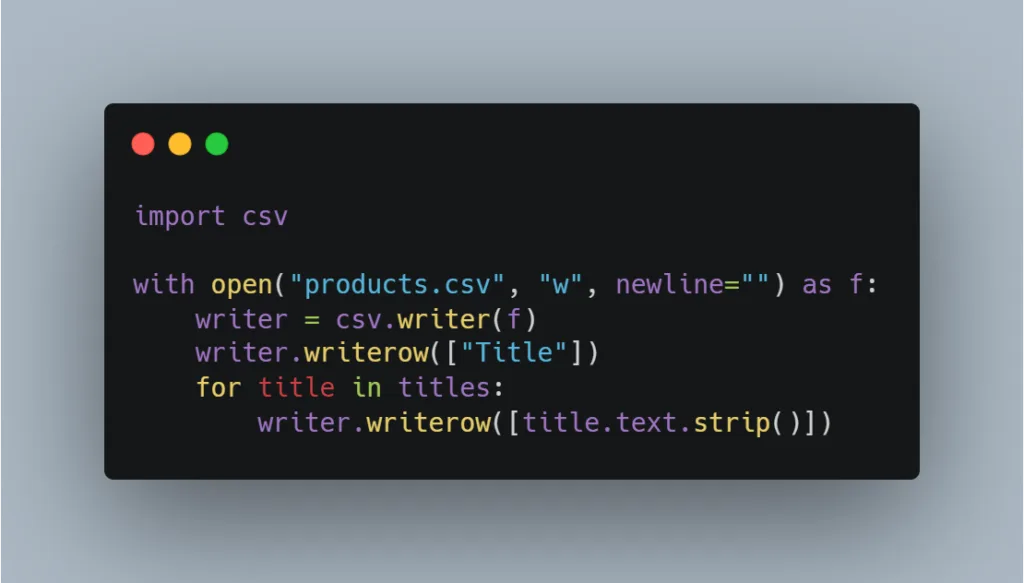
CSS Selectors and find/findall How Does It Work?
CSS selection permits aspects of adaptable element selection.
CSS-based extraction of the information:
titles = soup.find_all(class_="product-title")Use find() for first match:
soup.find("div", id="main")Multiple matches Use findall():
soup.find_all("a")Guidelines to Scraping Responsibly.
Ethical scraping prevents legal and moral liabilities.
Follow these rules:
- robots.txt Check robots.txt – example.com/robots.txt
- Respect Terms of Service
- Add rate limiting
import time
time.sleep(2)- Avoid personal/private data
- Use headers
import requests

url = "https://example.com"
headers = {"User-Agent": "Mozilla/5.0"}

response = requests.get(url, headers=headers)
Common Mistakes + Fixes
| Mistake | Cause | Fix |
| NoneType error | Element not found | Check with if element: |
| Empty results | Wrong selector | Reinspect HTML |
| Blocked request | Missing headers | Add User-Agent |
| Parsing errors | Bad HTML | Use lxml parser. |
Example fix:
title = soup.find("h1")
print(title.text) if title else None
Comparison Table
| Programming language | Beautiful Soup | Regular expression | Selenium |
| Amateur Approachable | Yes | No | Medium |
| JavaScript Support | No | No | Yes |
| Speed | Fast | Fast | Slow |
| Best For | Static HTML | Patterns | Dynamic Sites |
FAQ
- What is Beautiful soup web scraping?It is scraping structured information on HTML with bs4 library of Python. It eases browsing of webpage features.
- Is Beautiful Soup not a beginner dish?Yes. It has a simple syntax with easily readable syntax.
- Is Beautiful Soup able to deal with JavaScript?No. Selenium should be used with dynamic pages.
- What parser should I use?The use of html.parser because it is simple and lxml because it is fast.
- What is happening with NoneType errors?The element does not necessarily have the same element.
- Is web scraping a legal practice in the USA?It is based on ToS of the site and the type of data. Keep off personal information and avoid robots.txt.
- What do I do to keep myself unblocked?Use headers and restrict frequency of request.
- What is the distinction between find and select?find() is based on a tag/attribute search, whereas select based on the CSS selectors.
- Can I scrape Amazon?First, check the Terms of Service of Amazon.
- How do I export scraped data?Use CSV, JSON, or databases.
Summary
Beautiful soup web scraping is an activity that enables beginners to learn how to read HTML, write CSS selectors and obtain organized information with ease. With requests and bs4, one can create simple scrapers and be responsible scrapers and prevent parsing failures.
Glossary
- Tag: HTML element (e.g.,
<div>) - Category: Tag property (e.g., class)
- Parser: HTML Processing tool.
- Selector: Rule of targeting elements.
Beginner Checklist
- Install requests and bs4
- Inspect HTML structure
- Use correct selectors
- Handle NoneType errors
- Add headers
- Rate limit requests
- Check robots.txt
- Avoid scraping private data
Leave a Reply