Vidzi.tv How to Set Up 2Captcha with Ultimate Public Scraper (Full Step-by-Step Guide).
Web scraping has emerged as a critical instrument to marketers, data analysts and business owners, who require the right and current information in large quantities. Nonetheless, captchas are one of the largest issues in web scraping since they are meant to discourage robots.
This is where 2Captcha and Public Scraper Ultimate would fit hand in hand.
Here, in a comprehensive tutorial, you will get to know how to put in place 2Captcha and Public Scraper Ultimate, in a manner that is simple to understand and best practices regarding SEO. At the conclusion of this paper, you will know how to execute your scraping operation without captcha blockages.
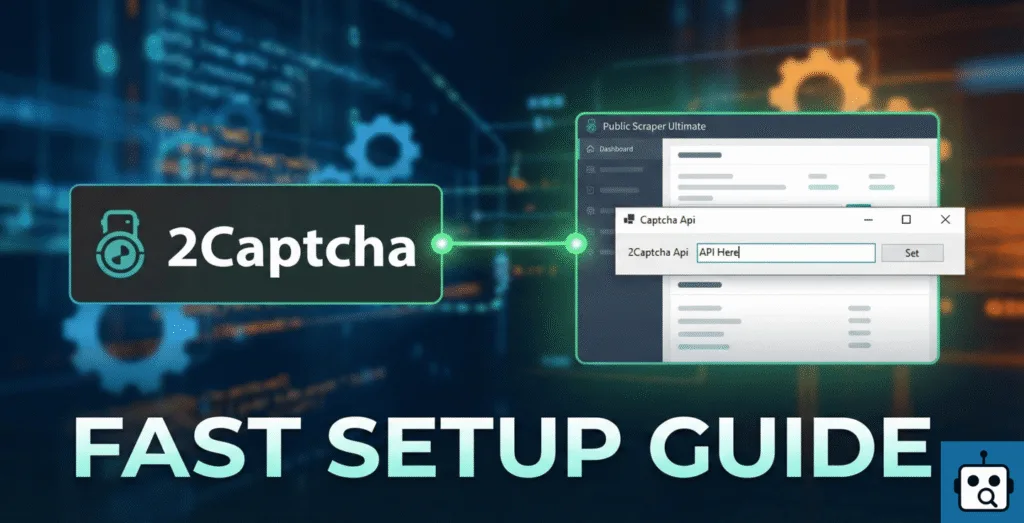
What Is Public Scraper Ultimate?
Public Scraper Ultimate is an excellent scraping program which is utilized to extract business data, public listings, email, phone numbers and other useful information on various websites. It is commonly applied in generating leads, market research and competitive analysis.
Nevertheless, due to the fact that there are thousands of target websites that use captchas to secure their data, scraping without a captcha-solving service may lead to:
- Blocked requests
- Sessions of interrupted scraping.
- Wasted time and resources
In order to prevent such problems, it is essential to have an efficient captcha solver.
What Is 2Captcha and Why Use It?
One of the most used captcha-solving services currently is 2Captcha. It operates on the basis of automatic solving captCHAs by real human workers and sophisticated recognition systems.
Benefits of using 2Captcha:
- Excellent accuracy in captcha solving.
- Employs reCAPTCHA and hCaptcha among other types of captchas.
- Affordable pricing
- Seamless integration of automation tools with its API.
With 2Captcha and Public Scraper Ultimate connected 2Captcha lets your scraping operations run automatically.
Step 1: Register on 2Captcha
The first thing you have to do is to create an account on 2Captcha.
- Go to the 2Captcha site.
- Register with your email account.
- Deactivate your email to activate your account.
After registration, you will be able to access your dashboard, in which you can control your balance and API key.
Step 2: Deposit Money into 2Captcha Accounts.
2Captcha operates on a pay as you use basis.
- Access your 2Captcha dashboard.
- Click on the Add Funds or Deposit.
- Select your favorite mode of payment.
- Add enough balance depending on your scraping requirements.
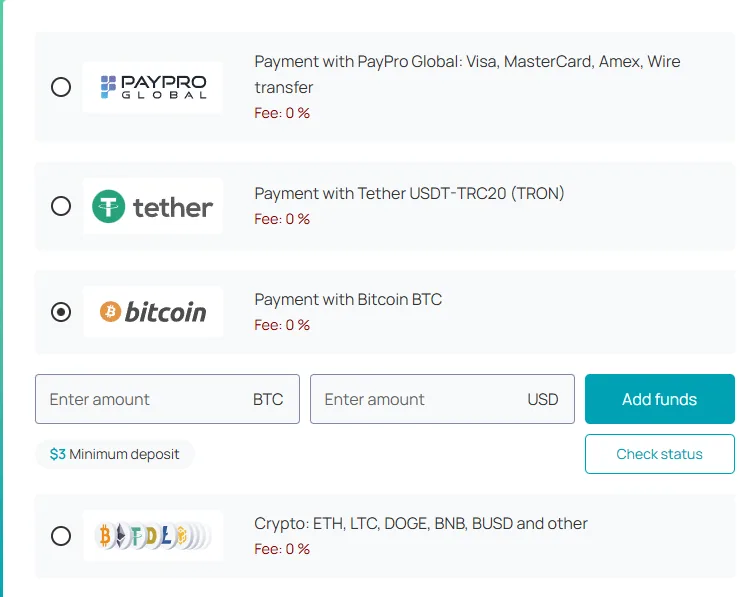
The API requires that you have money in your account.
Step 3: Get Your 2Captcha API Key
In the case of 2Captcha and Public Scraper Ultimate, the API key is the one that links them together.
- Go to the 2Captcha dashboard and find the API Key section.
- Make a copy of your unique API key and store it safely.

This is the key required in the subsequent steps.
Step 4: Start Public Scraper Ultimate Settings.
At this point, use Public Scraper Ultimate.
- Start Public Scraper Ultimate.
- Go to the settings menu of the Manta or Superpages.
- Search the Captcha API or Captcha Solver.
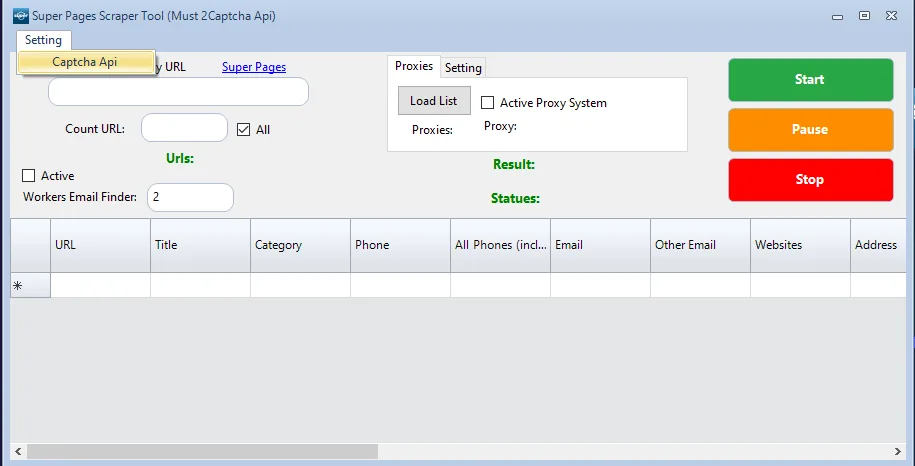
This is where captcha service is going to be configured.
Step 5: Enhance Public Scraper Ultimate with 2Captcha API.
These steps must be followed:
- Paste your 2Captcha API key in the Captcha API field.
- Choose Captcha service 2Captcha (when there are several alternative captcha services).
- Click Set or Save to implement the changes.
After being saved, Public Scraper Ultimate will automatically send captchas to 2Captcha to solve when performing scraping operations.

Step 6: Test the Integration
It is advisable to test the setup before running big scraping jobs.
- Start a small scraping task
- Track captcha cracking.
- Check 2Captcha balance to ensure that requests are in processing.
Captchas will be automatically solved in the background in case everything is configured properly.
Common Issues and Tips
- API failed: Make sure that you are copying the correct API key.
- No captcha cracking: Make sure there is enough balance on your 2Captcha account.
- Slow solving: Reduce speed of scraping or increase balance to achieve high performance.
There is additionally more scraping speed optimization and 2Captcha used with proxies that can be better.
Reason as to why this configuration is critical to SEO and generation of leads.
With Public Scraper Ultimate and 2 Captcha you can:
- Collect data consistently
- IP bans through failure of repeated captchas should be avoided.
- Save time and manual effort
- Automate your scraping activities.
This configuration can particularly be useful to SEO experts, online marketers, and data scientists who have to depend on massive amounts of publicly available data.
Final Thoughts
The next step of integrating 2Captcha and Public Scraper Ultimate is a fairly easy but effective one, which will drastically enhance your scraping process. This guide will keep you scraping continuously, achieving greater success, and performing better.
This integration is not optional in case you are serious in automation and web scraping.
Leave a Reply