Bing Maps Scraper: The Complete Guide to an Underused Local Data Source
Most people building a local lead list only think of Google Maps. That’s a mistake, and it’s one that leaves real data on the table. Bing still holds meaningful search share, especially on desktop and in enterprise environments where it’s the default browser homepage, and its local business listings often include contact details that don’t perfectly overlap with what’s on Google. If your list only comes from one source, you’re missing businesses that show up on the other.
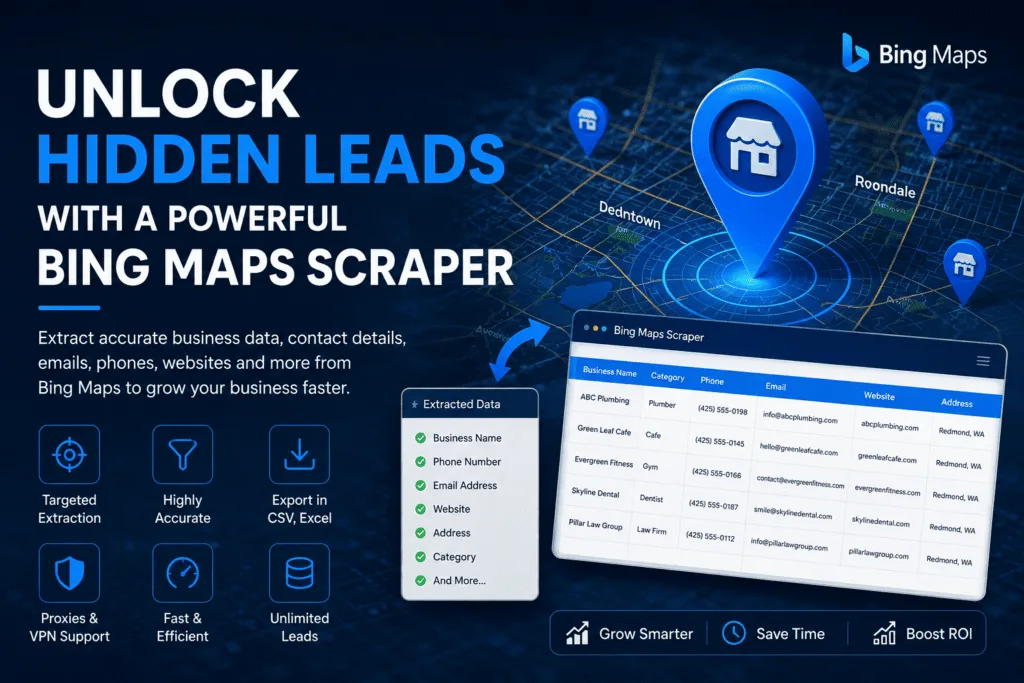
This guide covers what a Bing Maps scraper does, how it compares to scraping Google Maps, where the technical friction points are, and how to use one as part of a real lead generation process rather than a one-off experiment.
What a Bing Maps Scraper Does
Functionally, it’s the same idea as a Google Maps scraper: automate a search on Bing Maps for a keyword and location, load all the results, and extract the business name, address, phone number, website, category, and rating from each listing into a structured export. The difference is the target platform and how its results are structured and rendered.
Bing’s local pack (the block of map results shown for local search queries) has its own layout and its own pagination behavior, so a scraper built for Google Maps doesn’t just work on Bing without adjustment. It needs its own extraction logic tuned to how Bing serves and paginates listings.
Why Bother With Bing at All
The obvious question is why anyone would scrape a second source when Google Maps already has the bulk of local listings. A few real reasons:
- Different data, not just duplicate data. Businesses maintain their Bing Places listing separately from Google Business Profile, and it’s common to find a phone number or website updated on one but not the other. Cross-referencing catches gaps.
- Less competition for the same insight. Because almost everyone scrapes Google first, a list built partly from Bing data is less likely to be the exact same list your competitor already has.
- Bing Places for Business adoption varies by industry. Certain sectors, particularly B2B services and some professional categories, maintain more complete Bing listings than expected, and skipping this source means missing those.
For the SEO angle specifically, if you’re trying to understand how local pack visibility connects to lead flow, Proven Ways to Boost Local SEO with a Bing Maps Scraper and Scrape Bing Local Pack: Sales Growth Starts Here both dig into that connection directly.
How Bing Maps Scraping Works
The technical approach mirrors Google Maps scraping in structure but differs in execution:
Browser automation loads the actual Bing Maps interface, runs the search, scrolls or paginates through results, and extracts data from the rendered listing panels. This is the more resilient method against layout or endpoint changes.
Direct request-based scraping targets Bing’s backend data calls directly, which is faster but breaks more easily when Bing updates its internal structure without notice.
Businesses that want to manage their own listing directly, rather than relying on third-party directory data, can do so through Bing Places for Business, Microsoft’s official platform for claiming and updating a business profile. Understanding how that platform structures listings helps explain why scraped Bing data is organized the way it is.
Bing’s local pack specifically (the map result block shown inline in regular Bing search results, separate from the full Bing Maps interface) requires different handling than the standalone Maps site. A scraper that only handles one and not the other will miss a meaningful chunk of available listings. How to Scrape Bing Maps Local Pack for Business Leads covers this distinction in more detail, since it trips up a lot of people who assume “Bing Maps” and “the local pack” are the same target.
Exporting and Using the Data
Raw scraped data is only as useful as the format it lands in. Most workflows export straight to CSV, then either into Excel for cleanup or directly into a CRM or outreach tool. How to Export Bing Maps Data: Excel, CSV, JSON Tips covers the practical side of choosing the right export format depending on what you’re feeding the data into next. JSON tends to be the better choice if you’re piping results into a script or an API-based workflow; CSV or Excel makes more sense if a person is going to review and clean the list manually first.
Handling Blocks and Scaling Up
Bing has its own rate limiting and bot detection, distinct from Google’s but built on similar principles: too many requests too quickly from one IP gets throttled or blocked outright. The fix is the same category of solution as with any scraping target, proxy rotation paired with realistic request pacing, so the traffic pattern doesn’t look like a script hammering the server.
If you’re planning to scrape at real volume rather than pulling a few hundred listings once, Practical Tips to Scale Your Bing Maps Scraping Projects is worth reading before you start, since scaling issues (timeouts, partial exports, inconsistent blocking) tend to show up only once you cross a few thousand listings, not during initial testing.
Is Scraping Bing Maps Legal?
The legal position mirrors Google Maps: scraping publicly visible business information sits in a defensible position under current U.S. case law regarding public data access, while still technically running against most platforms’ terms of service. That distinction, defensible in court versus compliant with platform rules, matters depending on your risk tolerance and what you’re doing with the data afterward. Is Scraping Bing Maps Legal? A Complete Guide walks through the specifics, and it’s worth reading alongside the broader Is Web Scraping Legal? The Complete Compliance Guide for the full picture across platforms.
Bing Maps as Part of a Multi-Source Strategy
The strongest lead lists rarely come from a single platform. A practical sequence looks like this:
- Scrape Google Maps for the primary list, since it typically has the highest listing density.
- Scrape Bing Maps for the same niche and location to catch businesses with incomplete or missing Google listings, and to update contact details that may be stale on Google.
- Cross-reference and deduplicate the combined list. See Lead Deduplication and Data Cleaning for the actual process, since merging two sources without deduplication just doubles your cleanup work later.
- Verify emails and phone numbers before any outreach begins, using the process in Avoid Bounces: Email Verification for B2B Leads.
This is also where combining Bing with other niche-specific sources pays off. If you’re targeting professional services specifically, cross-referencing against a BBB scraper pull adds a trust signal (accreditation status) that neither Google nor Bing surfaces on its own.
Choosing a Tool
The same criteria that apply to Google Maps scrapers apply here: built-in proxy rotation, CAPTCHA handling that doesn’t require manual intervention every few hundred results, and export formats that match your actual workflow instead of forcing an extra conversion step. Public Scraper Ultimate covers Bing Maps as one of its supported data sources alongside Google Maps, Yellow Pages, and Yahoo Local, so a single tool handles the multi-source strategy above without switching between separate scrapers for each platform.
Check the pricing page for current plans, or see the Bing Maps service page for the specific feature set around this data source.
Leave a Reply